
1

Score

Avatar
thefax
59

Asked

Why does this mac keep going to sleep?

History

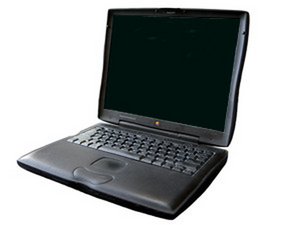
I have been given a Wallstreet G3 Laptop, which boots up fine, however when the desktop appears on the screen the mac instantly goes to sleep and wont wake up, I have tried the obvious, ie rebooting with extentions off. Any idea why it keeps doing this?

Edited by

Here's a thought, the hinges on this mac have gone, would replacing the hinges on the mac in anyway effect the going to sleep issue? ie would broken hinges disrupt the sleep mechanism or the reed switch?

thefax,

Post Answer

2

Score

Avatar
rj713
33.9k

Answered

PermalinkHistory

Here is the link to the teardown--I will post a parts link shortly. Ralph

[[Device:PowerBook G3 Wallstreet#deviceGuides]]

Here's the link for the part. Ralph

http://cgi.ebay.com/PowerBook-G3-Wallstr...

Also check out this article for another possibility. Ralph

http://www.techedgeezine.com/cart_mac_pb...

Edited by

I think the item to the far left may be the sleep switch--its about where the brass shim would be. You will have to look at it to see if it can be removed. + for an interesting question. Ralph

rj713,

do you mean next to the two silver screws?

thefax,

+ nice research

mayer,

1

Score

Avatar
markus weiher
21.4k

Answered

PermalinkHistory

Are you sure about the "sleep" mode ?

or does it switch off ?

or the screen switches to black (the light goes out) ??

did you try to boot it from the optical drive ??

Edited by

It is definately asleep the green light flashes on and off, then if you hit the power button you get a strange clicking sound. Also the hinges have gone on this mac, does anyone have any lying around they want to get rid of? Trying to save this mac so it can be used by my little brother, I HATE to chuck stuff away.

thefax,

I understand that you don't want to throw it away. what happens when you start it from the optical drive ? where comes the clicking from ? hdd or cd ? sorr - i have no hinges for this machine - the problem is, that they will probably a fortune (like for the tiBook - up to 50 bucks per side)

markus weiher,

Right I have ordered a new hinge set so when that arrives will open the beast up and attempt to fix it in one go! Will let you know what happens!

thefax,

0

Score

Avatar
Alan
109

Answered

PermalinkHistory

There's a switch in the hinge that tells the machine when the lid is down. When that switch closes, the machine goes into sleep mode. The Wallstreet dissipates a lot of its heat through the keyboard, so this is a self-preservation feature - running it with the lid down would fry the boards. If the switch is stuck (which could well be the case given the broken hinges), then there'd be a constant "lid is closed" signal, which would produce exactly this behavior.

Disconnect the power, remove the battery, and carefully open the lower case to get to the hinges (I believe there's a teardown photo set for the Wallstreet around here somewhere). Locate the switch and check it with a multimeter to see if it's working. If it's stuck, you could just disconnect it and tell your little brother to avoid closing the lid or covering the keyboard.

+ good answer

mayer,

0

Score

Avatar
randy3833
393

Answered

PermalinkHistory

In your troubleshooting, did you happen to reset the PMU? It controls the sleep functions. Just a thought.

PowerBook G3 Series (M4753)

1. If the computer is on, turn it off.

2. Simultaneously press Shift-Fn (function)-Ctrl (control)-Power.

3. Wait 5 seconds.

4. Press the Power button to restart the PowerBook computer.

A hard reset might work if this doesn't. Remove the battery, then hold down the power button for 30 seconds. Wait five seconds. Replace the battery and push the power button.

anyone got a picture of the switch in situ? had a look on the guides but cant see it

thefax,

Add Your Answer


