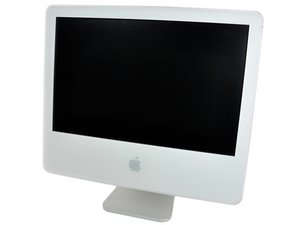
Everything works fine except no sound?
No sound for anything, except start-up chime. If I put in movie DVD, error message says no connection to speakers found.
Is this a good question?
Score
1

Rep: 13
 1
1
 1
1
No sound for anything, except start-up chime. If I put in movie DVD, error message says no connection to speakers found.
Is this a good question?

Rep: 65
4
2
I would start by checking your system profiler and verifying that the built in audio is recognized, then go to your system preferences and open the sound app and try to click on the sound files to verify that they either play, or do not. If the sound plays I would suspect that you have a software issue and need to restore the disk, if the sound does not play I would be suspect of a hardware failure If you can, Run techtools and scan hardware /test the audio.
Was this answer helpful?

Sounds like a software problem.
Does the Sound Preference Panel open up correctly?
Is the mute function enabled or not? How's the Speaker Icon in the menu bar on the top-right?
Can you boot with an external HD with an another version of your system and check if it works correctly?
Was this answer helpful?
hey zion, it's great you've answered but this question was started 2 years ago and your advice is the same as junvaz...if you click on answers, unresolved or all answers at the top of this page, I think you may be able to make a more useful contribution.
ahah, true, but i think i got here following "unsolved" post
thanks
Ah! the 15000 unresolved/unanswered.. I'd start most recent with the all answers. Those people are more likely to return to your answer and give more info to solve a problem. Welcome!!
Past 24 Hours: 0
Past 7 Days: 0
Past 30 Days: 2
All Time: 2,747

1 Comment
Same problem. Built in speakers only play start-up chime. The headphone jack does not output either. I've booted in Leopard and Snow Leopard with the same problem. The following setting, @ Audio/Midi Setup -> Properties For: Built-in Output -> Audio Output - - - ONLY DISPLAYS "Headphones" as a source. The headphone jack is not emitting a "red light" (i.e. the optical signal). I have tried repeatedly inserting a headphone connector, did not make a difference. I have repaired permissions, repaired disk, started in safe mode. I am running...
20" iMac
2.4GHZ Intel Core 2 Duo
4 gig RAM
EMC# 2133
Any solutions?
by mybishi