
0

Score

Avatar
nrgflow
37

Asked

What is the fastest CPU for direct replacement?

History

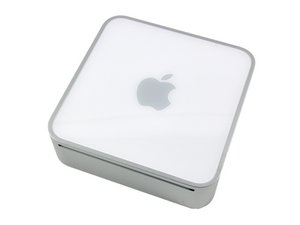
I have a 1.66 Core Duo Mac Mini and basically its not up to par when running CPU intensive software. I am up for the challenge of upgrading the CPU. What is the fastest processor that I can drop on this unit considering the limitations of the existing motherboard and bus speed?

Edited by: Ben Eisenman ( )

Post Answer

2

Score

Avatar
markus weiher
22.7k

Answered

PermalinkHistory

I think the T7600 core2duo 2,33 ghz is the fastest cpu you can use

combined with 3gb ram would that make a pretty fast lunchbox ;-)

yes - you're right - i didn't thiught about the "not so needed" limitatio apple build into the cd models - the chipset would support 3gb - but the limited it to 2gb - the c2d models will work with 3gb i also think that you're right about the cpu speed - but since he only asked whats possible.. ;-)

markus weiher,

ok, it took some time to dig it up - i've read it a few years ago but thats it: http://www.ambor.com/public/meromswap/me...

markus weiher,

2

Score

Avatar
mayer
148.8k

Answered

PermalinkHistory

The maximum RAM on this machine is 2 GB. Upgrading the processor gains very little and costs more than it is worth plus involves heat sink and pinning problems.

0

Score

Avatar
Fernando
1

Answered

PermalinkHistory

yeah, but replacing core duo to a core 2 duo, allows to run LION !!!

the real problem is find a T200 / T7400

who knows. I had never heard of Lion OS at the time this question was answered last year

mayer,

0

Score

Avatar
spotsy
1

Answered

PermalinkHistory

I just upgrade to a t7200 and can't install Lion. @mayer concerning the pinning problem you can use Plastic screws and bolt( M3*20 works like a charm) if you break the plastic pins

0

Score

Avatar
Kaitain
1

Answered

PermalinkHistory

Spotsy, it IS possible to install Lion. To prove it, I'm typing this from a Mini that was once a 1.5 Core Solo, upgraded to 7200 and running Lion right now.

The trick is to install Lion on your drive from another (Lion-capable) machine. Either take it out and set it up temporarily as a USB drive, or remote into it using Firewire. Install Lion from the other machine, and then (crucially) go into /System/Library/CoreServices on your new Lion drive/partition, and remove the file

PlatformSupport.plist

You should then find that once back in your Mini, it boots into Lion successfully.

NOTE: do all major Lion software updates BEFORE you put the drive back in your Mini, because a major update will put the PlatformSupport.plist file back. (This is a file that tells Lion which machines NOT to install on; Apple does this as a cheap solution instead of looking for the presence of the Core 2 Duo.) Or you could put a small partition with Snow Leopard or earlier onto your drive so you can always boot into that to repair the Lion drive if it ever gets broken by an upgrade.

0

Score

Avatar
spotsy
1

Answered

PermalinkHistory

Thanks Kaitain sounds like a bit complicated to get lion on the mini. I am pretty happy with snow leopard and not so happy about lion on my MBP. So I'll stick with snow leopard

0

Score

Avatar
Kaitain
1

Answered

PermalinkHistory

So long as you have another (post-2007) Mac available, it's actually really easy. But if you're running more smoothly with SL than with Lion, I can't argue with that. Me, I had to use Lion, because SL doesn't work properly with the OCZ Petrol SSD drive.

Add Your Answer


