
 1
1  1
1 "Kernel Panic" message on screen
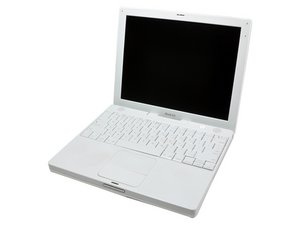
I have a used iBook G4. It's been working great for 2 months. One morning I booted it up and this screen came up with a message that states that I must restart the computer now. So, I turn the power button off and restart the computer. The screen is still frozen. Later another message appears under this message. After further investigation, I learn that this is a "Kernel Panic".
According to Wikipeida, a "kernel panic is an action taken by an operating system upon detecting an internal fatal error from which it cannot safely recover."
What can I do to fix this? I've tried holding down the shift key just before the grey screen comes up upon reboot, but it didn't work. The screen is still frozen.
I haven't added any software or removed any. I haven't downloaded any software. I was on Safari prior to it crashing.
Are there discs available to repair a "kernel panic"? Should I take out the OS and replace it? Should I add more RAM? Or, should I take it in and get it looked at by a professional? Would it cost a lot of money? Is it even worth taking it in and repaired, or should I buy another mac?
I hope somebody out there can help me 'cause this is really bothering me. I've been without my Mac now for 2 weeks. Using my husbands IBM PC and really miss my Mac. Thanks. Rose
Is this a good question?

 72
72 


5 Comments
This interesting I also run into a sever kernel panic and could not even start up anymore
(see post with kernlepanic tag). Before that I had a lot of trouble with bluetooth (showing the grey icon, saying bleutooth not available). Before the very sever kernelpanic (i had many others before, but could start up finaly of these other cases), the machine also said that airportcard was not configurated! When I tried to get to the char, it was not even listed! Does all this make any sense? Please, help needed.
by willem
Open up the iBook and remove the airport card then try to boot after just connecting the top case power switch connector. If the iBook works normally then the Airport socket if probably faulty.
by lemerise
I add this in the hope that anyone with this problem will try this fix before going to the lengths and expense as suggested. This is a common problem with iBooks with inbuilt Airport Cards. Once you have established that you can isolate the problem to the Airport Card by turning it off and the Kernel Panics stop go to:-
http://hints.macworld.com/article.php?st... follow the instructions and then simply buy a wireless dongle on ebay for under $10.
by Graham
I've got an old iBook G4, 14"/1.42 GHz/Tiger
It has the kernel panic problem when AirPort is on. When setting AirPort off, the computer works for hours and hours.
For my surprise, setting Bluetooth on allows me to work in internet without problems (via iPhone). I have understood that both Bluetooth and AirPort are taken care by the same internal card - am I right?
Apparently my problem is in Card and not in the connection/ motherboard connector?
by Pentti Seudo
It doesn't have to be the card. The system bus still has to communicate through different pins of the card for Wifi and Bluetooth, and it could be that it's the WiFi only pins that go bad. Looking at mine, some have a green tinge, and I suspect that this is corrosion due to a combination of heat, current drain, and cool off condensation. It spells the end of an otherwise brilliant machine.
by Adam Williams