
0

Score

Avatar
Robert
1

Asked

Separating the display from the MacBook Air

History

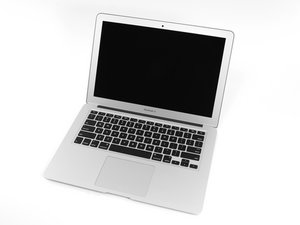
How possible would it be to split Macbook Air 11" (mid 2012) into 2 parts, a display placed away from the rest of the computer -- like in the car -- and just have a cable running between the 2, like 6 feet or less apart.

Edited by: machead3 ( )

Post Answer

0

Score

Avatar
machead3
21.3k

Answered

PermalinkHistory

This is more of a modification Question than a DIY repair, but IMHo it would be very difficult - you'd need to create male/female connectors for the display data cable, and relocate the wireless antennas if you intend to use them.

You'd also need to consider RF interference along the cables, so the type of cable would be important. I do no know of any existing "extension" or cable.

Would you be able to use a 12volt (monitor) and the Thunderbolt or HDMI connector/cables... IMHO it would be easier to find shielded cable in a 6' length.

If this answer was helpful please remember to return and mark it Accepted.

Edited by: machead3 ( )

Thanks Machead3, that would work if there were 10 inch displays, but I haven't seen any, have you? All the tablets have only HDMI out never In, and something like Air Display works with a delay, not for video, so it's good sometimes, but not same as a HDMI connection.

Robert,

0

Score

Avatar
Andrea
13

Answered

PermalinkHistory

If you only need to use the monitor and you are not interested in the rf antennas and iSight you could increase the lenght of LVDS cable.

This LCD should use (correct me if I am wrong) an LVDS cable and if you obtain the pinout you could attach it to a minipc with a lvds interface or use a HDMI to LVDS converter, or simply (well not so simply ;) ) extend the lenght of the original cable and use the macbook as the multimedia PC.

About the maximum lenght I don't know however there is a paper of TI which analyzed the standard using different cables and lenghts:

http://www.ti.com/lit/an/slyt163/slyt163...

Add Your Answer
